Quick Start
Rarity is developed with minimum setup in mind in order for users to focus more on actual modelling works and decide appropriate fine-tuning strategy after quick overview on the state of miss-prediction at post model training phase. Users can compile the required inputs and prediction outcomes via one of the following mentioned methods and spin up the dash web application to see the final gap analysis report produced by Rarity.
Simplest mode with mininum code
After cloning Rarity repository, place xFeatures, yTrue and yPred files into configs/csv_data folder as illustrated in example below
rarity
├── configs
│   ├── csv_data
│   │   ├── <example_user_xFeatures>.csv
│   │   ├── <example_user_yTrue>.csv
│   │   ├── <example_user_yPred_model_x>.csv
│   │   └── <example_user_yPred_model_y>.csv
│   │
│   └── configs.py
...
│
├── auto_gap_analysis.py
Then open configs.py file and update the first section to define the required meta data.
# ************************************************************************************************************
# To be updated by user accordingly if to run this script using saved csv files
# Replace 'example_xxx.csv' with user's file name
xFeature_filename = 'example_user_xFeatures.csv'
yTrue_filename = 'example_user_yTrue.csv'
# yPred_file can be single file or max 2 files, wrap in a list
yPred_filename = ['example_user_yPred_model_x.csv', 'example_user_yPred_model_y.csv']

# model name must be listed according to the same sequence of the yPred_filename list above
# can be single model or max bi-modal, wrap in a list
MODEL_NAME_LIST = ['example_model_x', 'example_model_y']

# Supported analysis type: 'Regression', 'Binary Classification', 'Multiclass Classification'
ANALYSIS_TYPE = 'Regression'
ANALYSIS_TITLE = 'example_Customer Churn Prediction'

# Defaults to 8000, user can re-define to a new port number of choice
PORT = 8000
# ************************************************************************************************************
After uploading files to configs/csv_data folder and updating configs/configs.py file, open terminal and make sure you are in the Rarity project root folder.
A file named auto_gap_analysis.py is already in the root folder upon installation. Then run the following line of code in the terminal
python auto_gap_analysis.py
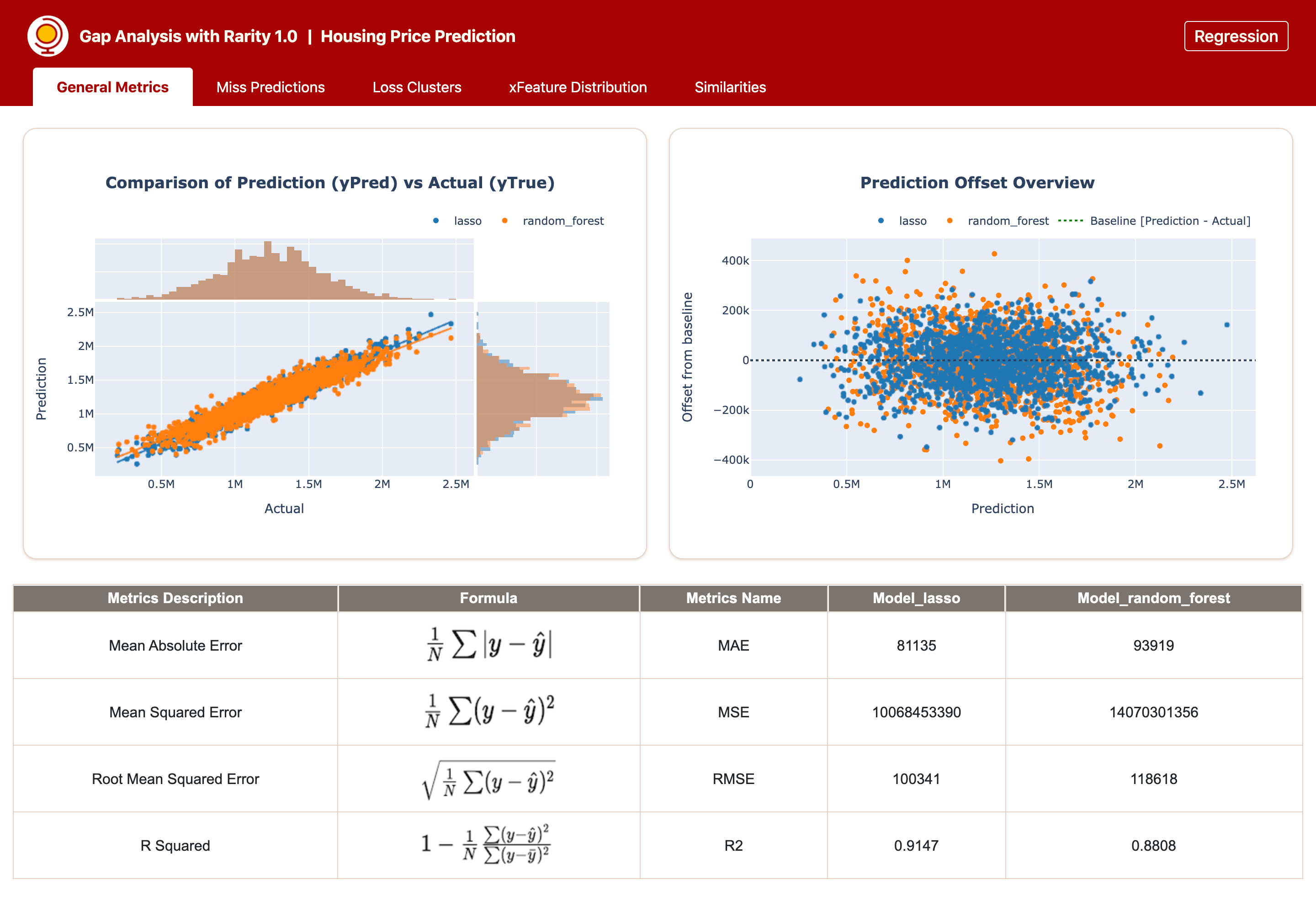
A window will be open in the web browser and you will see the gap analysis report is generated for you by Rarity. Below is an example generated for Bimodal analysis on Regression task.
Using CSVDataLoader
After installation, open terminal and run the following codes with replacement of example files to your own file names and define analysis_type and analysis_title accordingly.
from rarity import GapAnalyzer
from rarity.data_loader import CSVDataLoader

# define the file paths
xFeatures_file = 'example_xFeatures.csv'
yTrue_file = 'example_yTrue.csv'
yPred_file_list = ['example_yPreds_model_xx.csv', 'example_yPreds_rf.csv']
model_names_list = ['model_xx', 'model_yy']

# specify which port to use, if not provided, default port is set to 8000
preferred_port = 8866

# collate all files using dataloader to transform them into the input format that can be processed by various internal function calls
# example : '<analysis_type>' => 'Regression'
# example : '<analysis_title>' => 'Customer Churn Prediction'
data_loader = CSVDataLoader(xFeatures_file, yTrue_file, yPred_file_list, model_names_list, '<analysis_type>')
analyzer = GapAnalyzer(data_loader, '<analysis_title>', preferred_port)
analyzer.run()
Using DataframeLoader
To use DataframeLoader, it is assumed that you already have some inital dataframes tap-out in earlier runs in the terminal and would like to continue
analysing the miss-predictions after model training. The DataframeLoader api call is meant for inline analysis if you prefer not to collate base info using csv files.
You may collate all the xFeatures, yTrue and yPreds dataframes into the right input format using DataframeLoader as demonstrated below :
from rarity import GapAnalyzer
from rarity.data_loader import DataframeLoader

# define the file paths
xFeatures_df = <xfeatures_stored_in_pd.DataFrame>
yTrue_df = <yTrue_stored_in_pd.DataFrame/Series>
yPred_df_model_xx = <yPred_generated_by_model_xx_stored_in_pd.DataFrame>
yPred_df_model_yy = <yPred_generated_by_model_yy_stored_in_pd.DataFrame>
yPred_list = [yPred_df_model_xx, yPred_df_model_yy]
model_names_list = ['model_xx', 'model_yy']

# specify which port to use, if not provided, default port is set to 8000
preferred_port = 8866

# collate all files using dataloader to transform them into the input format that can be processed by various internal function calls
# example : '<analysis_type>' => 'Regression'
# example : '<analysis_title>' => 'Customer Churn Prediction'
data_loader = DataframeLoader(xFeatures_df, yTrue_df, yPred_list, model_names_list, '<analysis_type>')
analyzer = GapAnalyzer(data_loader, '<analysis_title>', preferred_port)
analyzer.run()